What does Make It a Video do?
Make It a Video is a native Mac screen recorder and video editor for tutorials, product demos, lessons and team walkthroughs.
Record your screen and camera, then delete transcript words to cut the matching recorded media. Review suggested cuts for filler words and pauses, add captions, and adjust backgrounds and camera layouts. Export local MP4 videos in wide, vertical, square or portrait formats.
The free plan exports up to 1440p without a watermark. Optional Pro is advertised at £40 per year. Requires macOS 15 or later and an account. Recordings and projects stay on your Mac in this edition; account and plan services use the network.
Who should use Make It a Video?
marketers and teams, teachers, tutorial creators are the clearest fit based on how the product is positioned.
Best fit
Pricing: Free / paid plans
Platforms: macOS 15 or later; Apple silicon
How much does Make It a Video cost?
Free / paid plans Check the provider’s own page for the latest pricing, packages and terms.
Screenshots
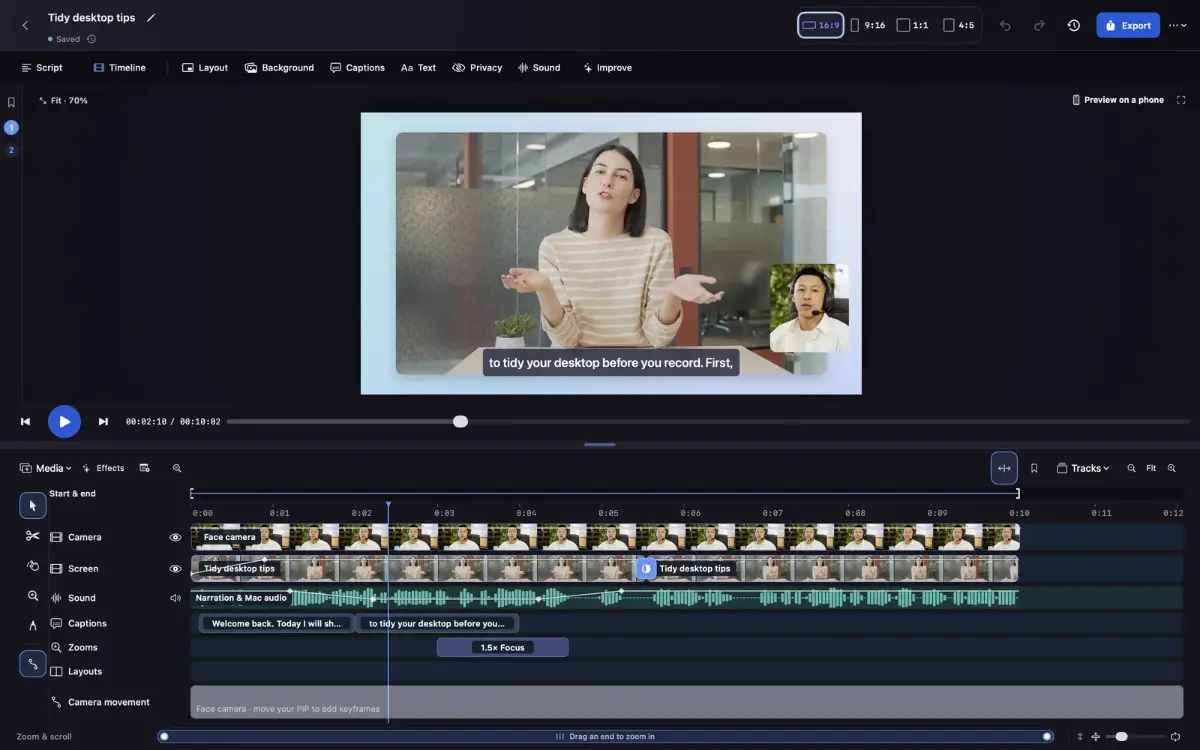
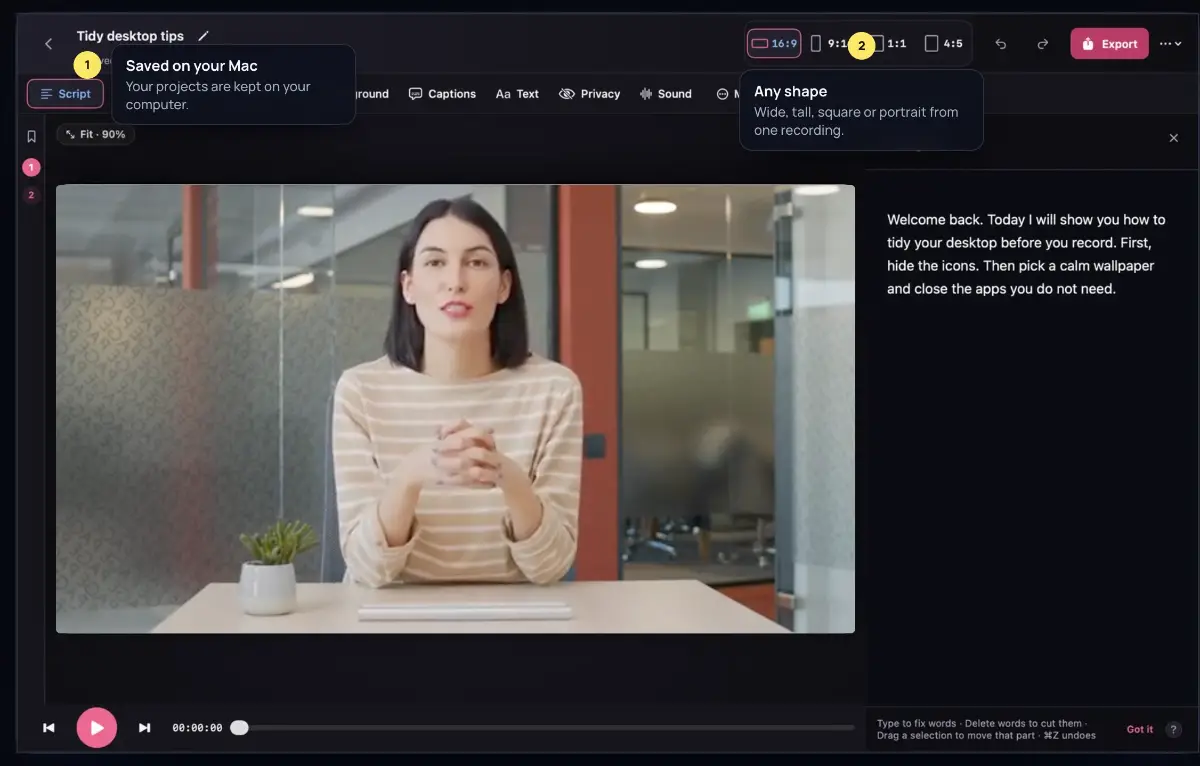
Details, pricing and availability can change. We use provider information, verified owner updates and editorial review where available. Check the provider’s own page before making a purchase, booking or important decision.
Profile last updated 10 Nov 2026.


Sign in to leave feedback and earn community points.
Sign in or join