
What does ScreenSharing do?
ScreenSharing is a free browser-based tool for quick screen sharing and small-group collaboration. One presenter shares a screen, window or browser tab and invites up to three viewers with a link. Participants can draw live using a pen, highlighter and rectangles on the shared view. The presenter controls viewer drawing permissions, can pause or clear annotations and can manage viewers. Temporary chat and optional microphone or source audio are available when supported by the browser. No account or installation is required. It uses WebRTC, preferring direct connections with relay fallback when needed. It is useful for product demos, design reviews and remote help. It does not record sessions, transfer files or provide remote keyboard/mouse control. Product contact: support@screensharing.online.
Who should use ScreenSharing?
designers, product makers and remote support helpers, small teams are the clearest fit based on how the product is positioned.
Best fit
Pricing: Free
Platforms: Web
How much does ScreenSharing cost?
Free Check the provider’s own page for the latest pricing, packages and terms.
Screenshots
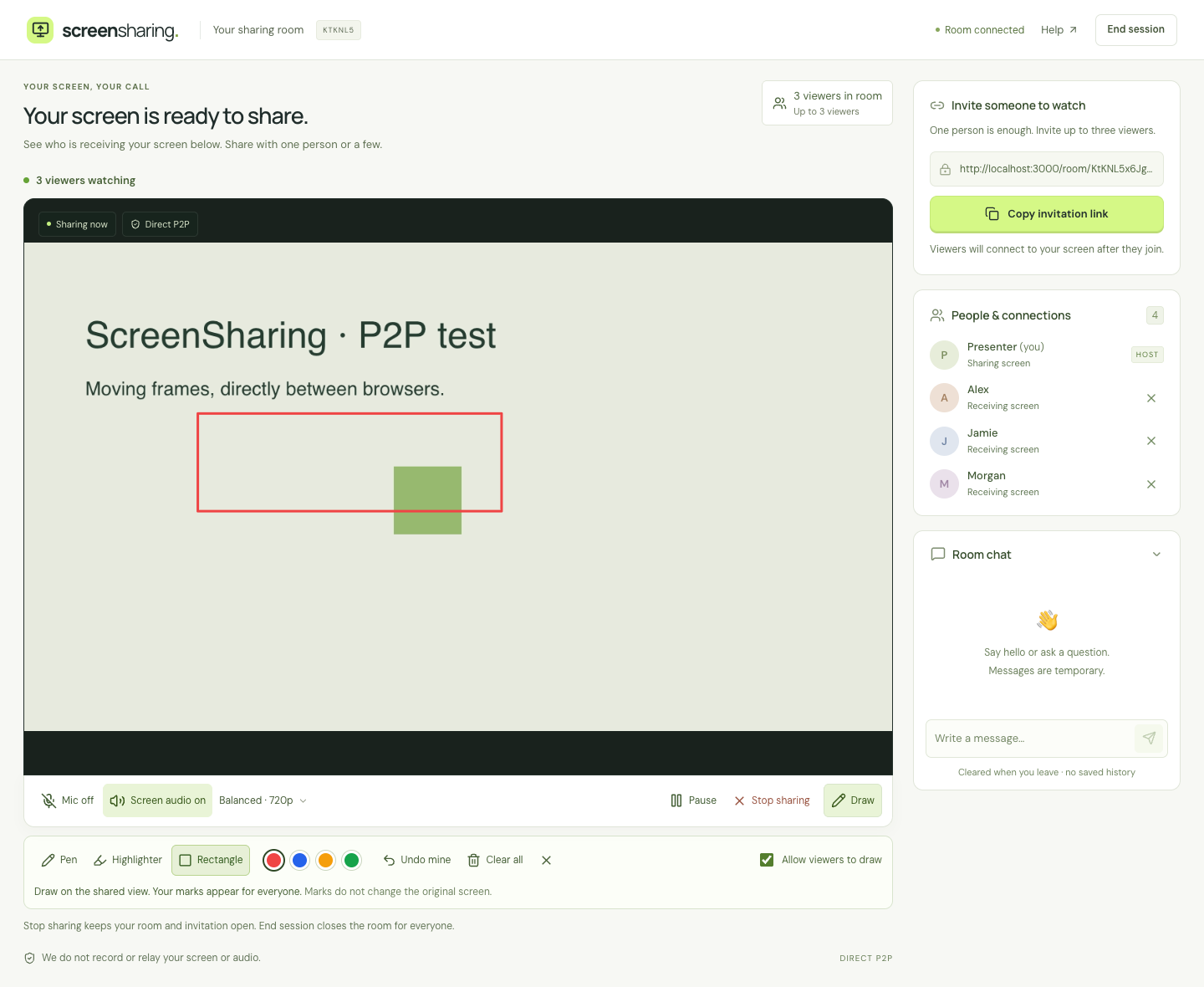
Details, pricing and availability can change. We use provider information, verified owner updates and editorial review where available. Check the provider’s own page before making a purchase, booking or important decision.
Profile last updated 22 Oct 2026.

Sign in to leave feedback and earn community points.
Sign in or join