What does Sideleaf do?
I wanted my notes to come with me, wherever I work. I used paper sticky notes for little reminders beside my desk. But when I moved to another workspace or travelled, those notes stayed behind. My laptop came with me. My notes should too.
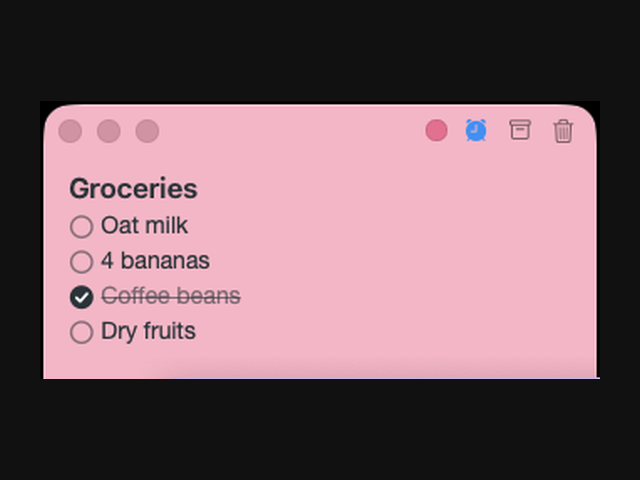
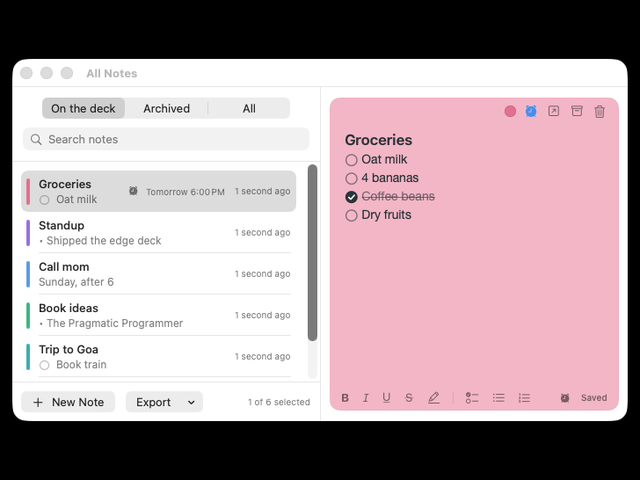
So I built Sideleaf: sticky notes that stay at the edge of my Mac. Hover to peek, click to write, then move away and the note tucks back into the screen edge. Quick notes, checklists and reminders stay beside the work I am doing.
I also wanted to rely less on disposable paper sticky notes in my own routine.
Sideleaf is available on the Mac App Store for macOS 26 or later. Notes stay locally on your Mac, with no account required. Try every feature free for 7 days, then unlock editing with a one-time purchase. No subscription. Existing notes remain readable, searchable and exportable after the trial.
Who should use Sideleaf?
checklists and reminders beside their work, Mac users who want quick notes, wherever they take their laptop. are the clearest fit based on how the product is positioned.
Best fit
Pricing: Paid
Platforms: macOS 26 or later
How much does Sideleaf cost?
Paid Check the provider’s own page for the latest pricing, packages and terms.
Screenshots
Details, pricing and availability can change. We use provider information, verified owner updates and editorial review where available. Check the provider’s own page before making a purchase, booking or important decision.
Profile last updated 12 Nov 2026.
Sign in to leave feedback and earn community points.
Sign in or join