
What does DisplaySwitcher do?
DisplaySwitcher is a desktop application for Linux, macOS, and Windows that combines monitor input switching with text and file transfers between computers.
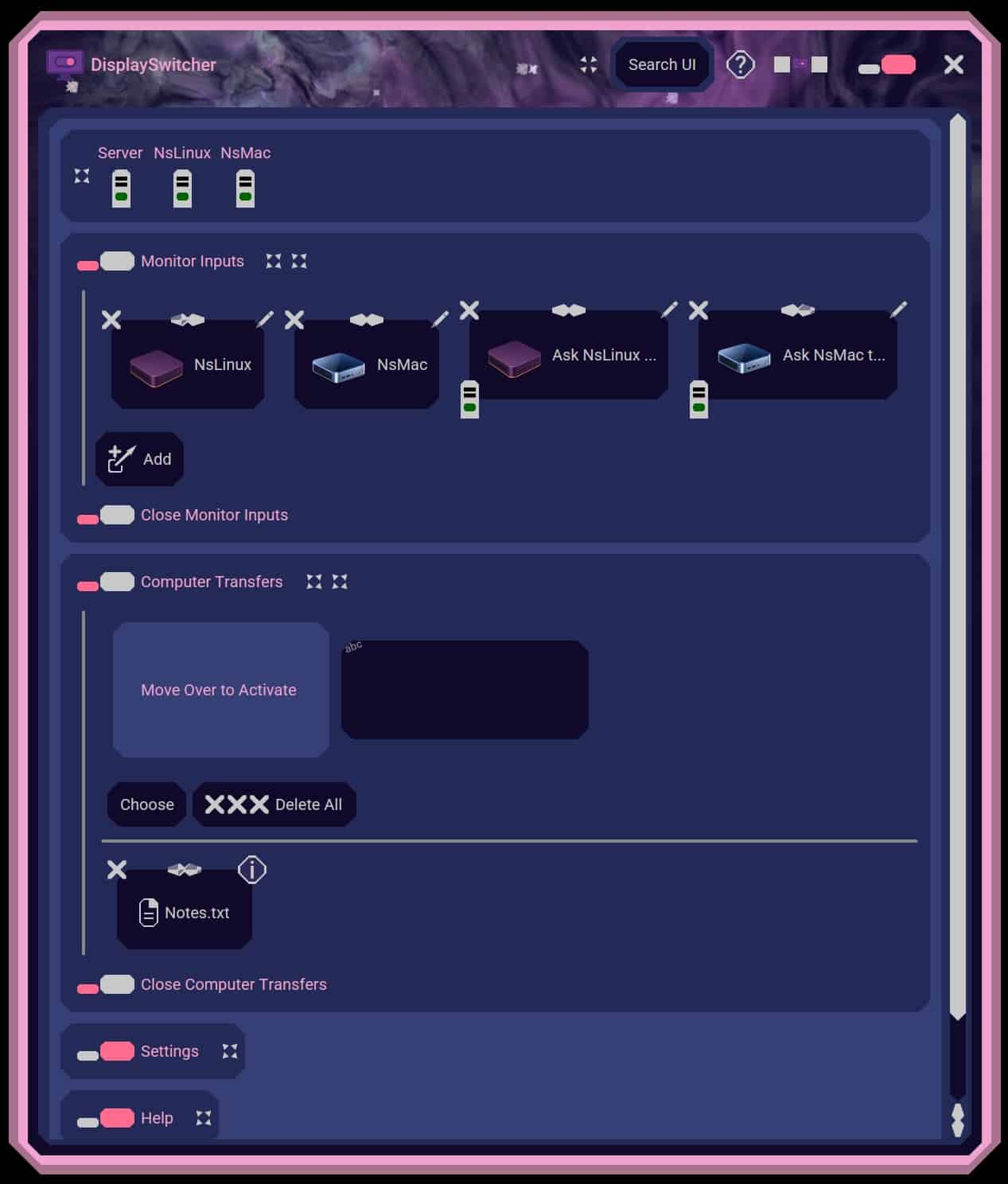
Switch a monitor’s video input with a software button instead of reaching for its physical controls. If one computer cannot switch the monitor directly, another connected computer capable of switching it can perform the action.
Transfer text and files between computers using cut-and-paste, drag-and-drop, or file browsing, including across different operating systems. No network or firewall configuration necessary.
DisplaySwitcher costs $5.95 per month and includes a one-month free trial.
Documentation: https://docs.nebulasoftware.com/displayswitcher
Overview video: https://videos.nebulasoftware.com/watch/cO6roAnyTon
Product demonstration: https://videos.nebulasoftware.com/watch/cO6Y3nny0Ok
Who should use DisplaySwitcher?
DisplaySwitcher is for people who use the same external monitor with multiple computers and regularly need to switch between them. It is particularly useful for developers, remote workers and multi-computer setups where the machines run a mix of Windows, macOS or Linux.
Best fit
People who regularly switch one external monitor between multiple Linux, Mac or Windows computers and want a simpler alternative to using the monitor’s physical input buttons.
Pricing: Paid — free trial available, starting from $5.95/month
Platforms: Linux, macOS, Windows
Key features
- Switch an external monitor between video inputs from software
- Avoid repeatedly using the monitor’s physical input buttons
- Works across Windows, macOS and Linux computers
- Use keyboard shortcuts or software controls for monitor switching
- Transfer text between computers
- Transfer files between computers
- Copy and paste content across connected computers
- Drag and drop files between computers
- Browse and transfer files between systems
- Allow one computer to request a monitor switch through another computer
- Works with KVM-enabled monitors so compatible keyboard and mouse switching can follow the display input
- Automatic application updates
- Cross-platform multi-computer workflow
How much does DisplaySwitcher cost?
DisplaySwitcher costs $5.95 per month and includes a one-month free trial. The trial is useful because monitor switching depends on the specific monitor, cables, adapters and DDC/CI support in the user’s setup. Users can cancel the subscription through their account if it does not work with their hardware.
Integrations and compatibility
Our take
DisplaySwitcher solves a very specific annoyance that becomes surprisingly irritating if you switch between computers several times a day. The monitor-switching feature is the main attraction, but the ability to move text and files between Windows, Mac and Linux machines makes it more useful than a simple input-switching utility. The biggest consideration is hardware compatibility: DDC/CI support varies by monitor, cable, dock and adapter, so the one-month trial is particularly important here.
Things to know
- The external monitor must support DDC/CI
- Some monitors require DDC/CI to be enabled manually in their settings
- Internal laptop and iMac displays are not supported for monitor switching
- USB-to-HDMI adapters can block DDC/CI communication
- Some docking stations and display adapters may prevent monitor switching from working
- DisplayPort-to-HDMI converters can be unreliable for DDC/CI
- On Apple Silicon Macs, DisplayPort or USB-C generally provides better DDC/CI compatibility than some HDMI setups
- The macOS version requires Apple Silicon and does not support Intel Macs
- Linux users may need to grant access to I²C devices
- Wayland configurations can sometimes interfere with low-level monitor communication
- The one-month trial is worth using to confirm compatibility before relying on the product
Screenshots
Details, pricing and availability can change. We use provider information, verified owner updates and editorial review where available. Check the provider’s own page before making a purchase, booking or important decision.
Profile last updated 29 Oct 2026.

Sign in to leave feedback and earn community points.
Sign in or join